Introduction
Before you can start creating mailboxes with Mango Mail, you’ll need to set up the proper Domain Name System (DNS) records. In this case we will be using Hover, but the same steps can be applied to other domain registrars and DNS providers.
Prerequisites
- Create and set up your Mango Mail account.
- Host your DNS with Hover.
- Add your domain through the Mango Dashboard.
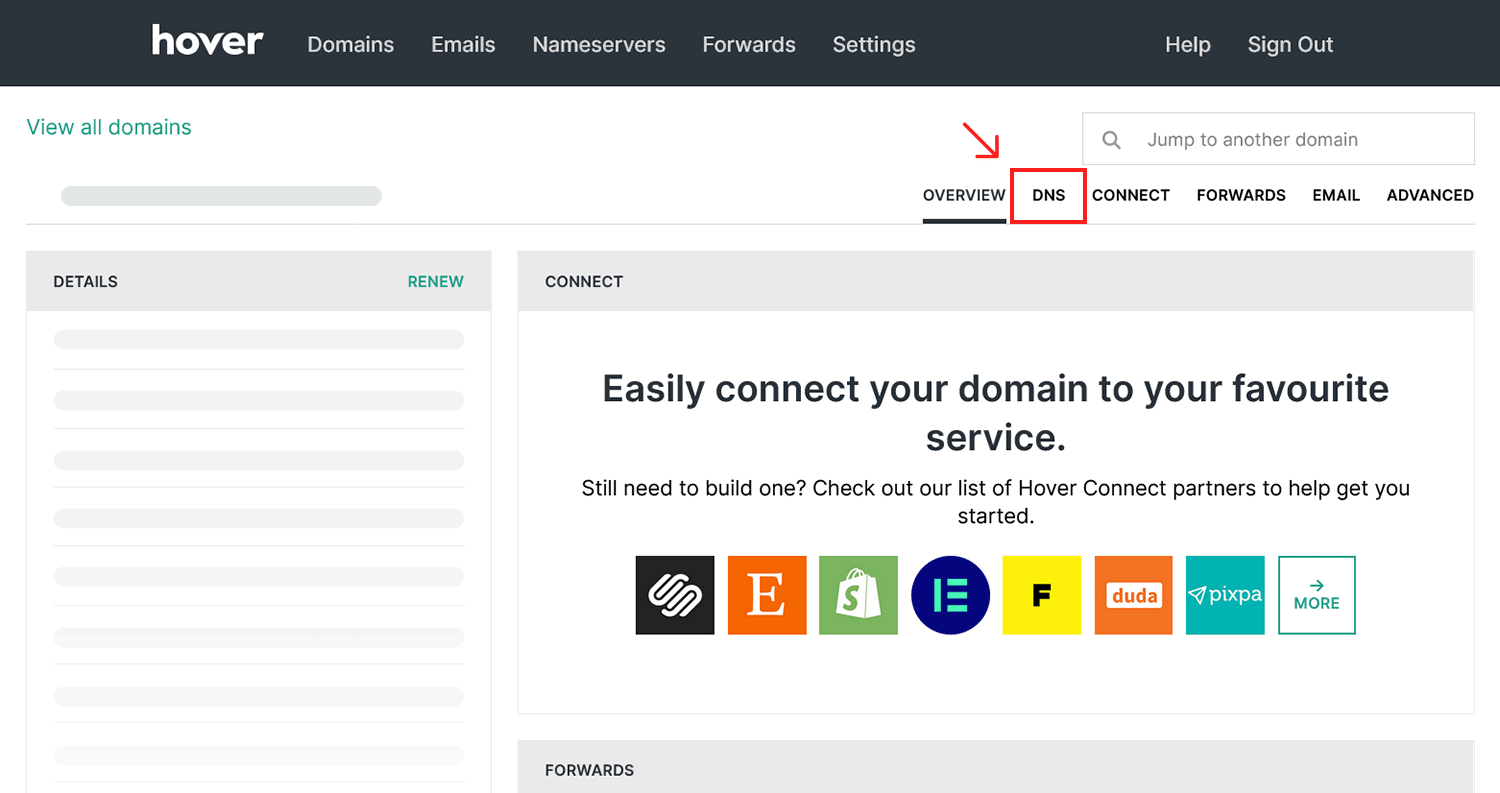
Step 1. Navigate to your domain in the Hover dashboard and click "DNS".
Step 2. Click the "Add a record" button.
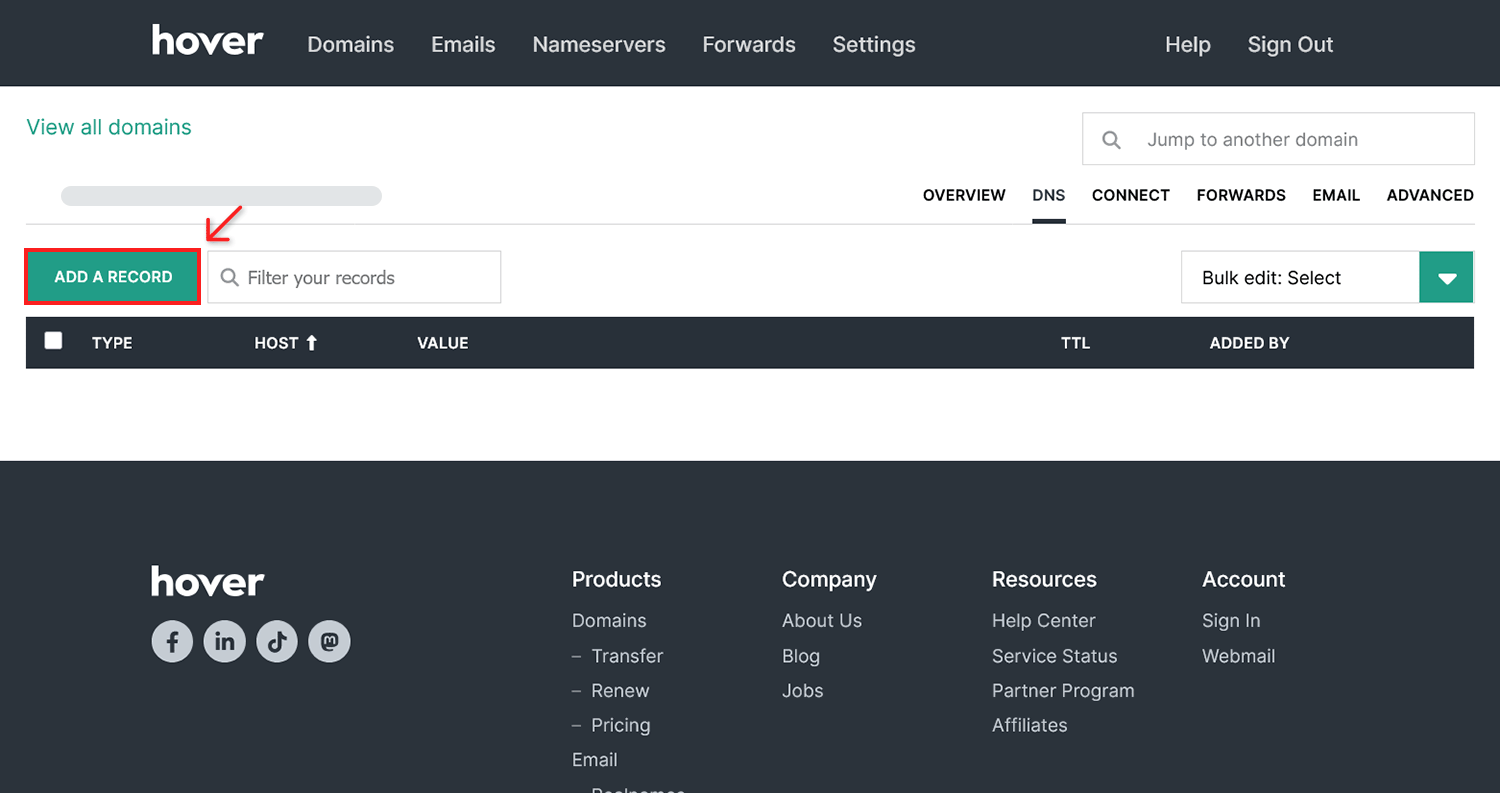
Hover places a few DNS records by default for new domains. Make sure to remove these before adding your Mango Mail DNS records.
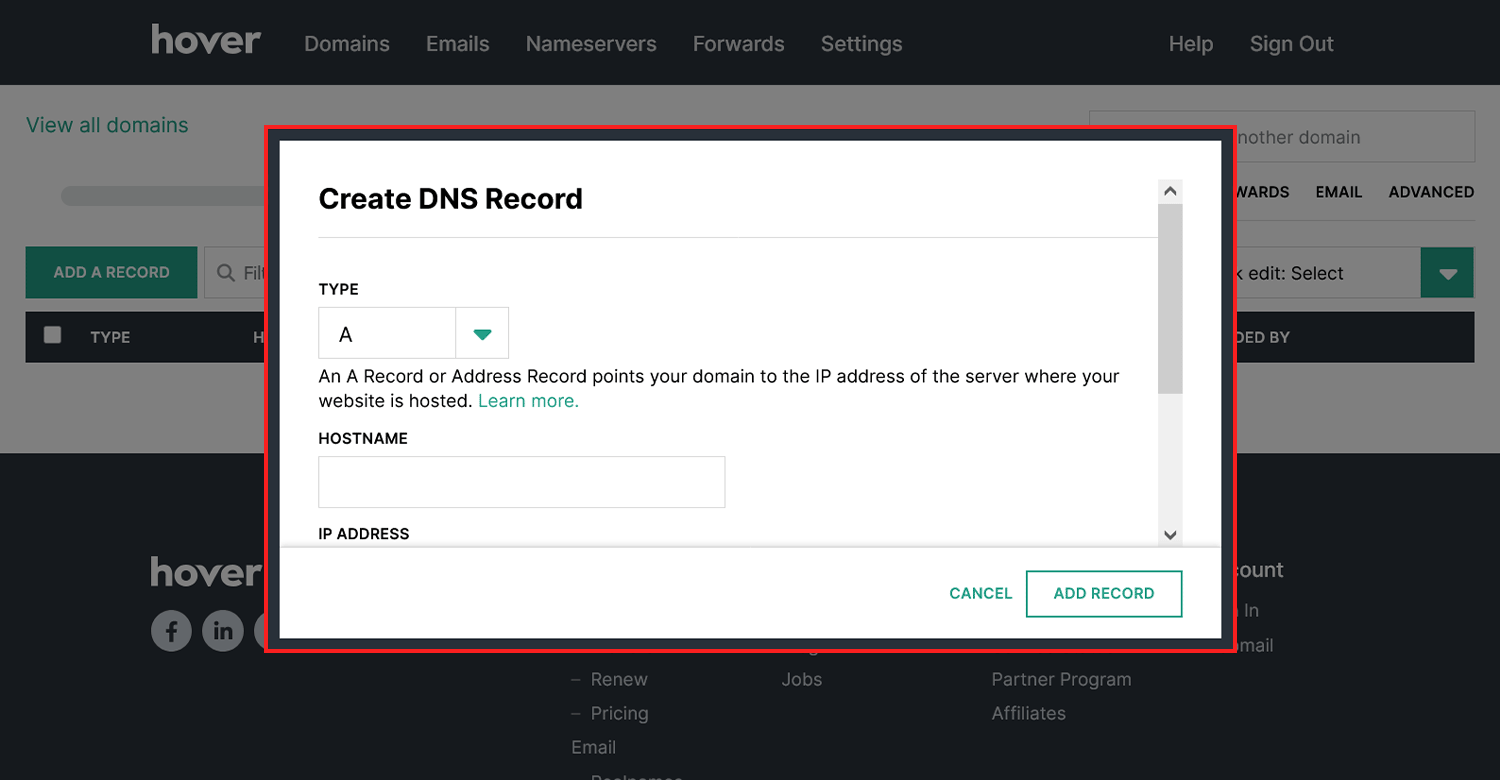
Step 3. Use the "Create DNS Record" screen to add the necessary records.
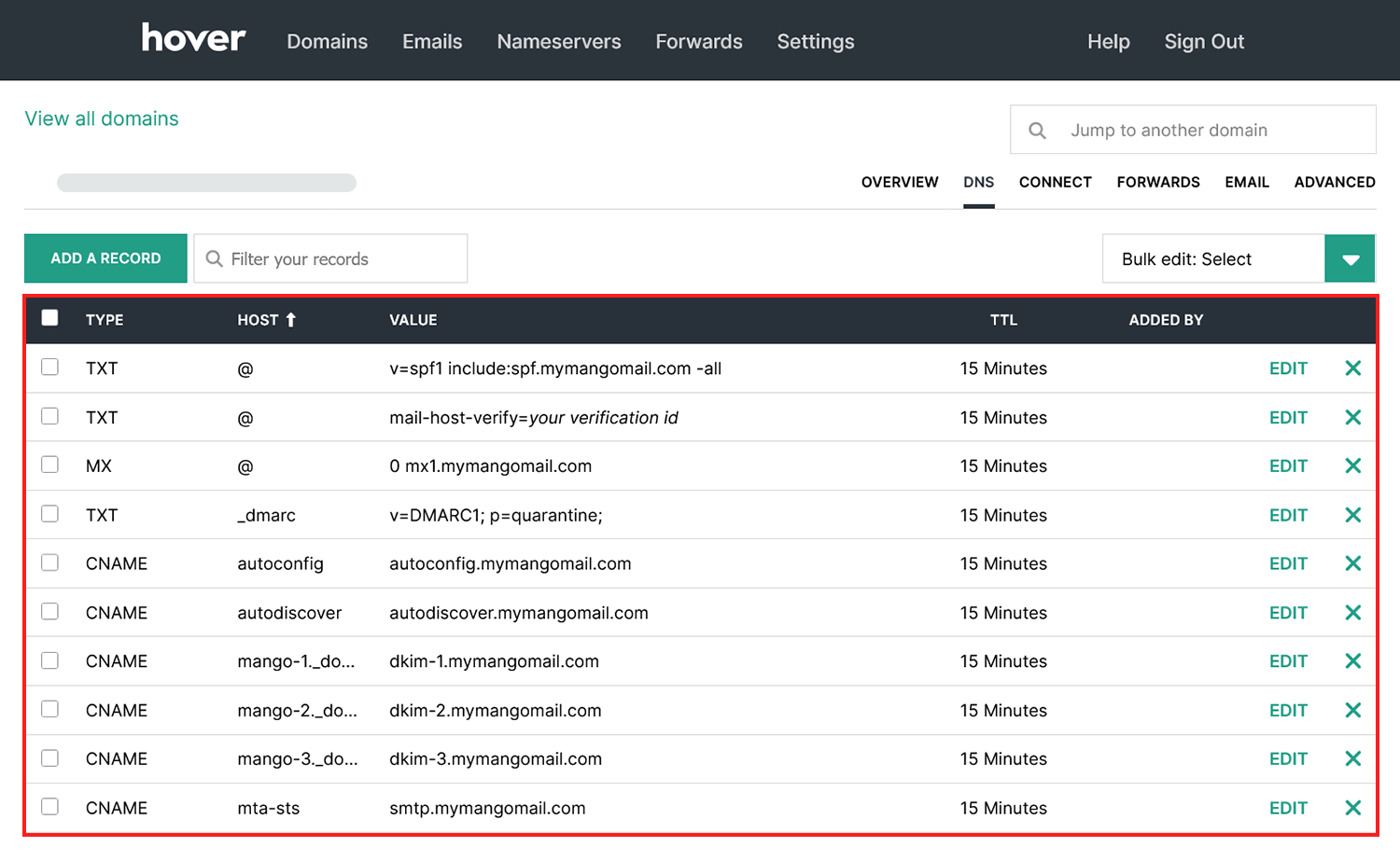
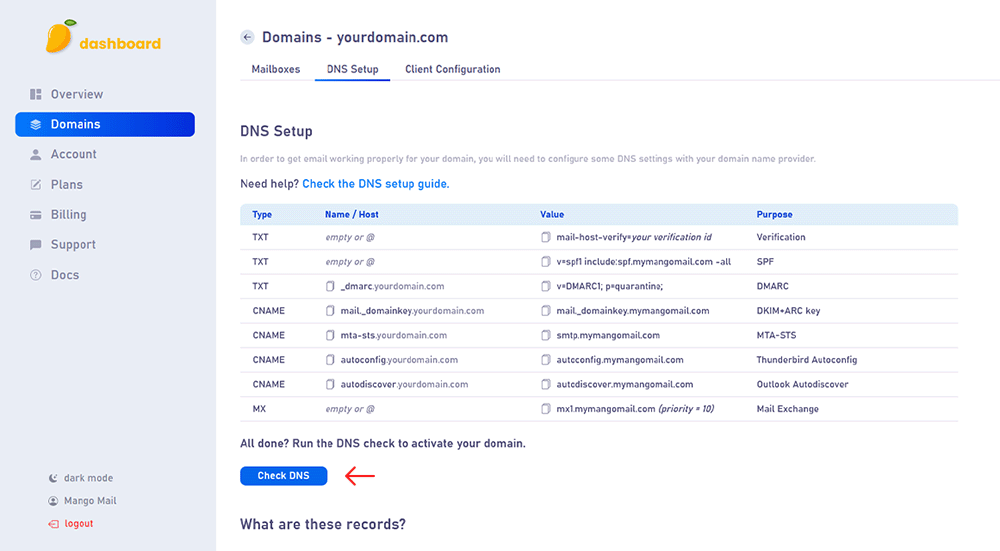
Step 4. Create the records shown on the DNS Setup page of your Mango Mail dashboard.
Step 5. Finally, return to the Mango Dashboard and click "Check DNS".
Next Steps
Now that you've finished configuring your domain's DNS, you can start creating mailboxes from the Mango dashboard.