Introduction
Before you can start creating mailboxes with Mango Mail, you’ll need to set up the proper Domain Name System (DNS) records. This article will walk through configuring DNS for Spaceship domains; however, the same steps can be applied to other domain registrars.
Prerequisites
- Create and set up your Mango Mail account.
- Host your DNS with Spaceship.
- Add your domain through the Mango Dashboard.
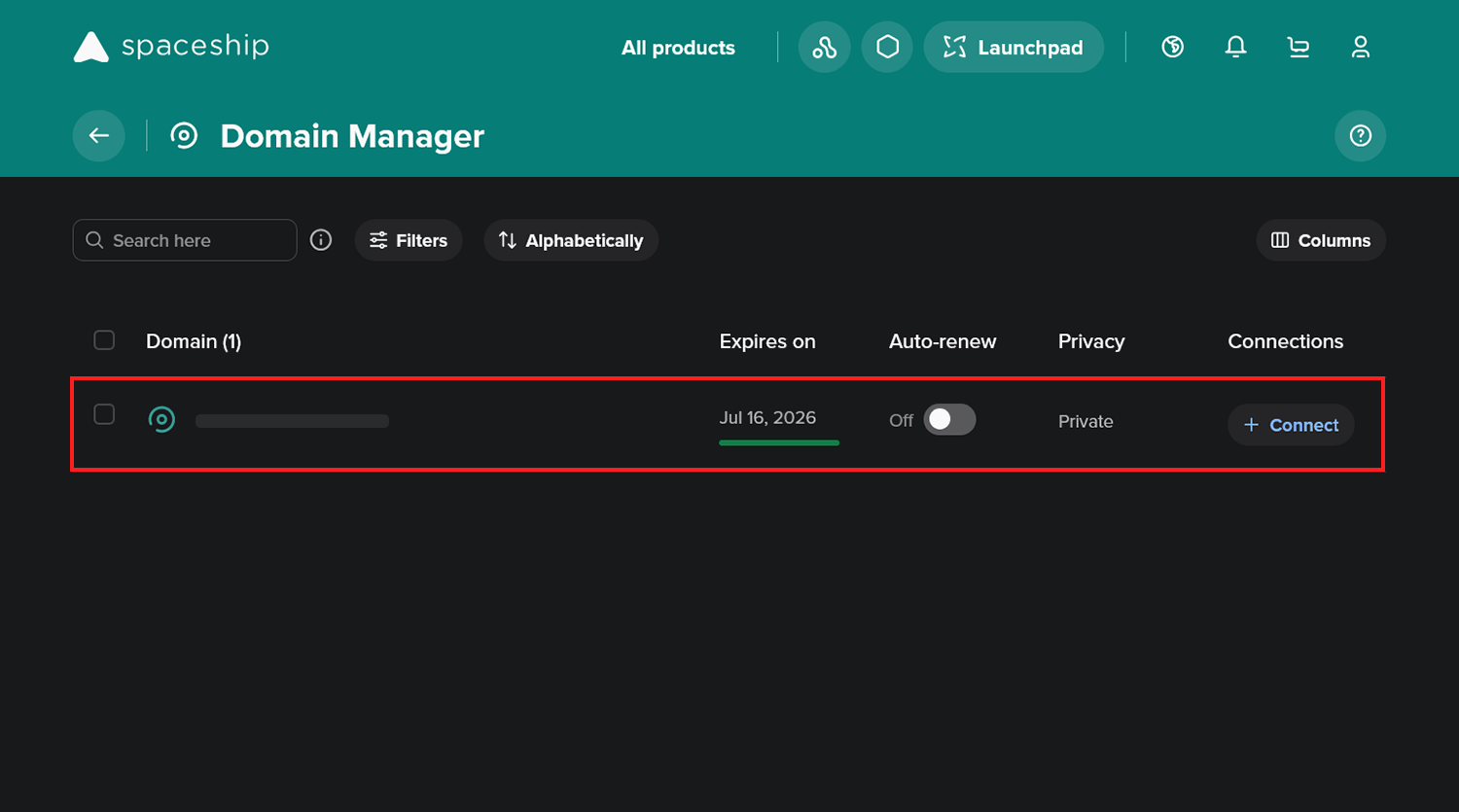
Step 1. Go to your Spaceship dashboard and navigate to the Domain Manager.
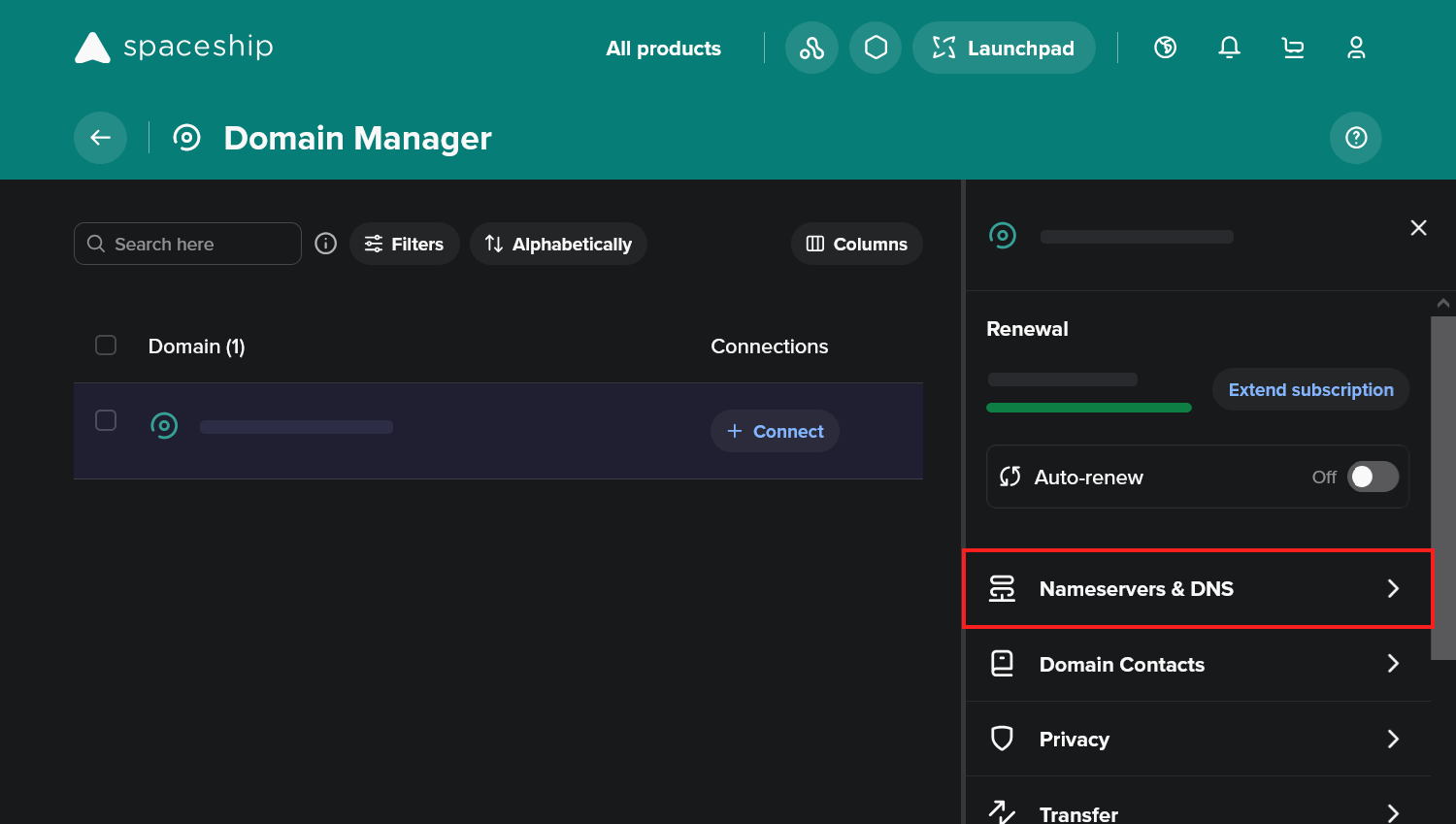
Step 2. Select your domain, then click "Nameservers & DNS".
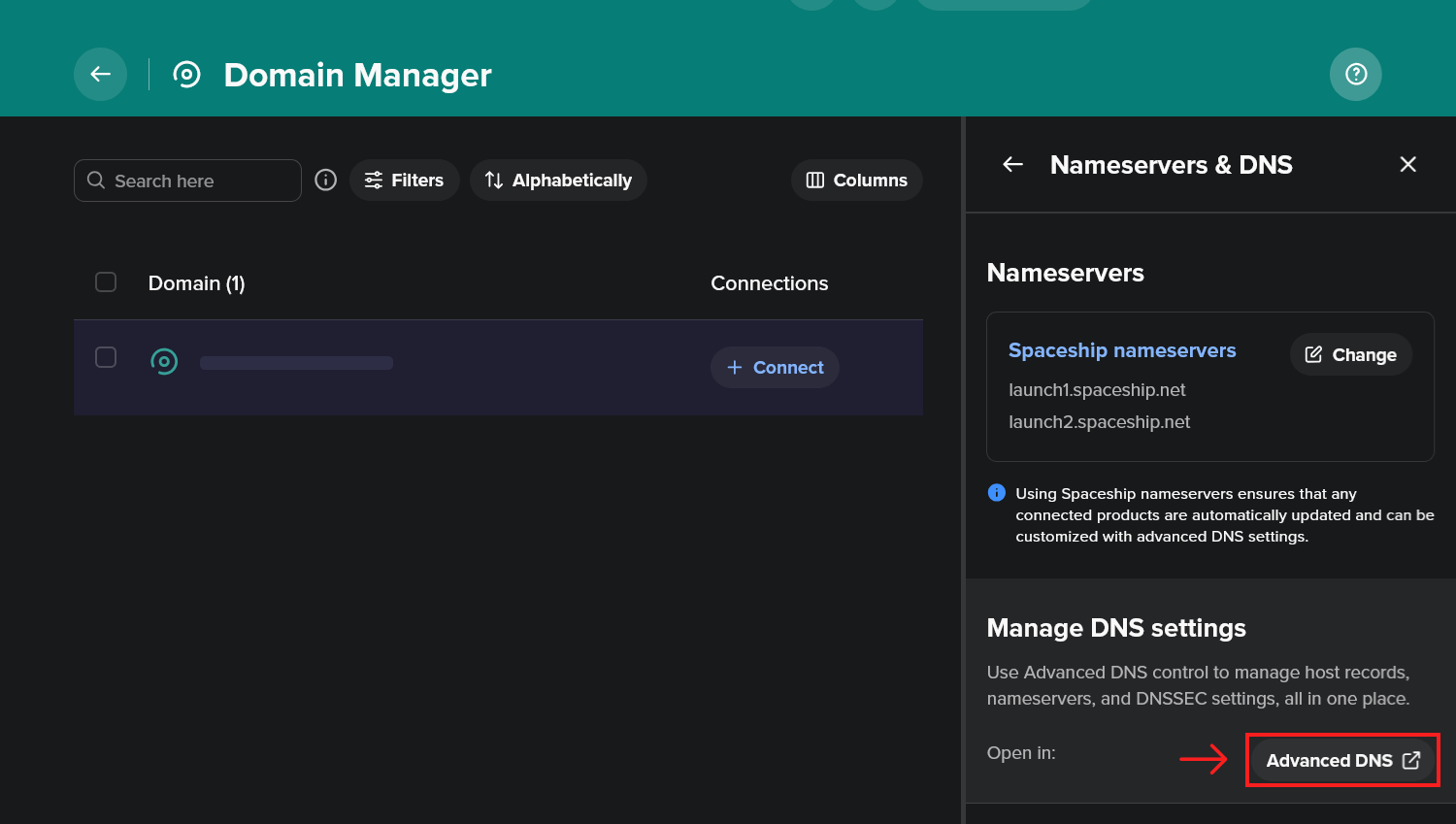
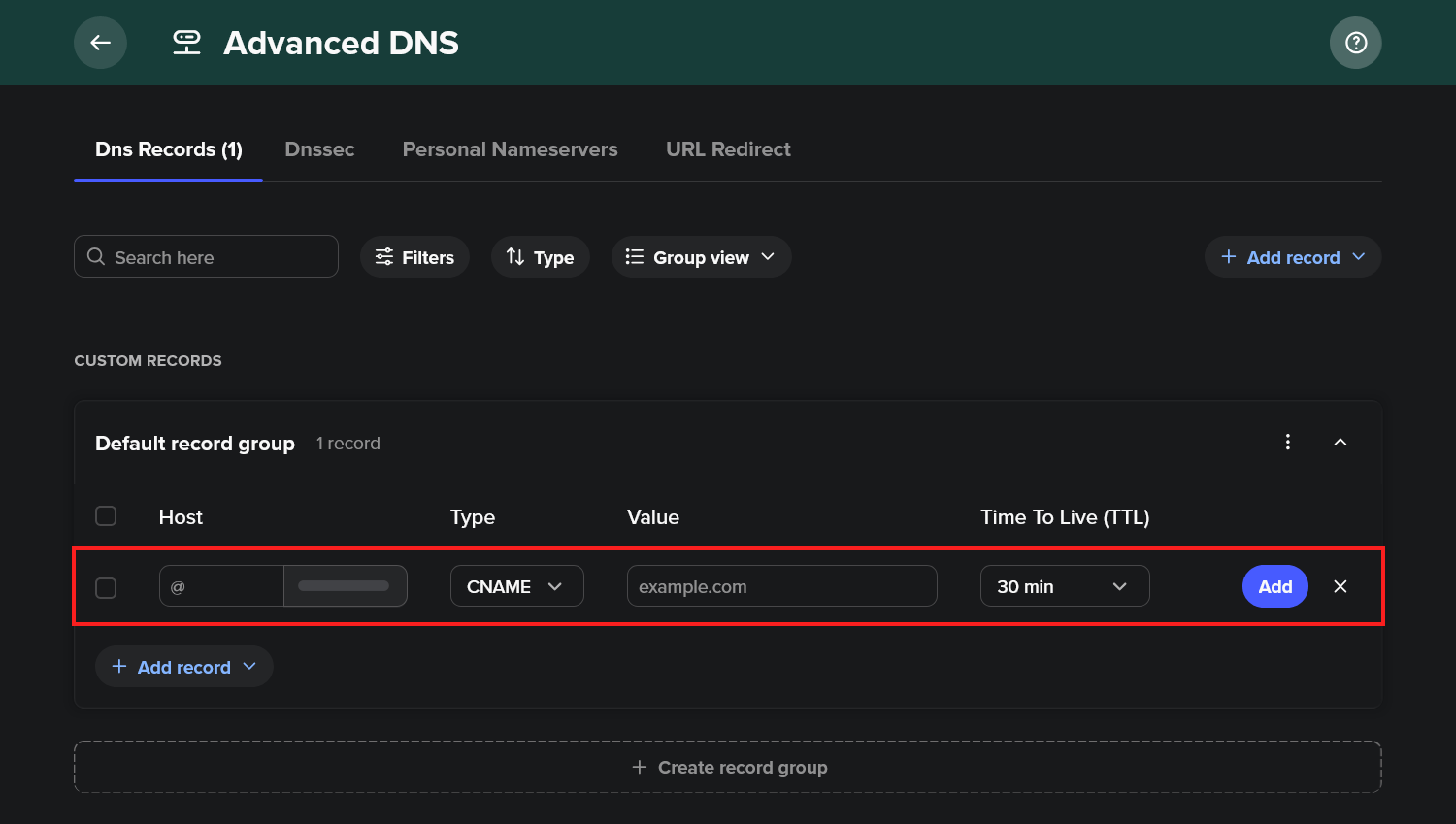
Step 3. Scroll down and click "Advanced DNS".
Step 4. Click the "Add record" button.
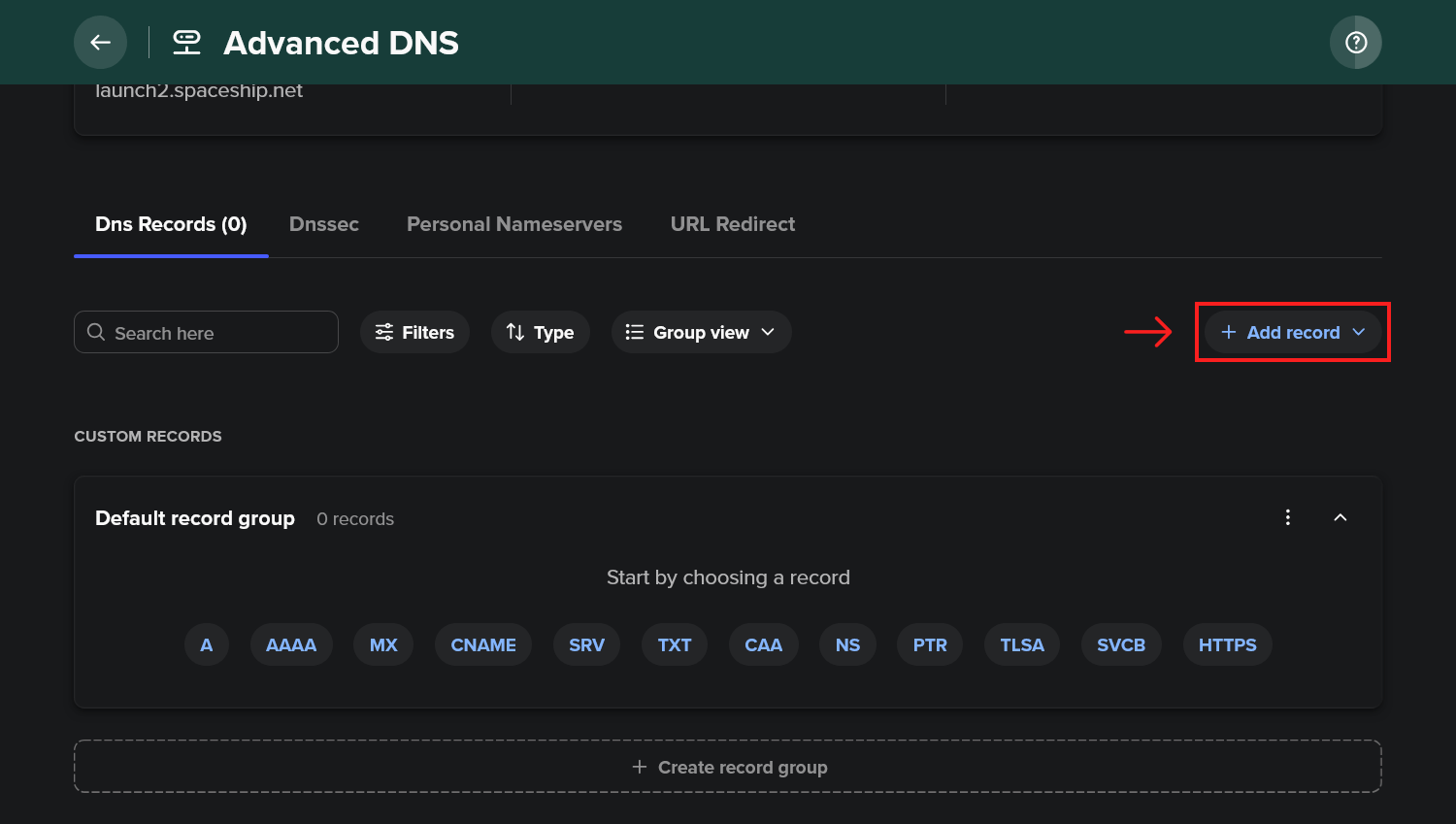
Step 5. Use the custom record page to create your records.
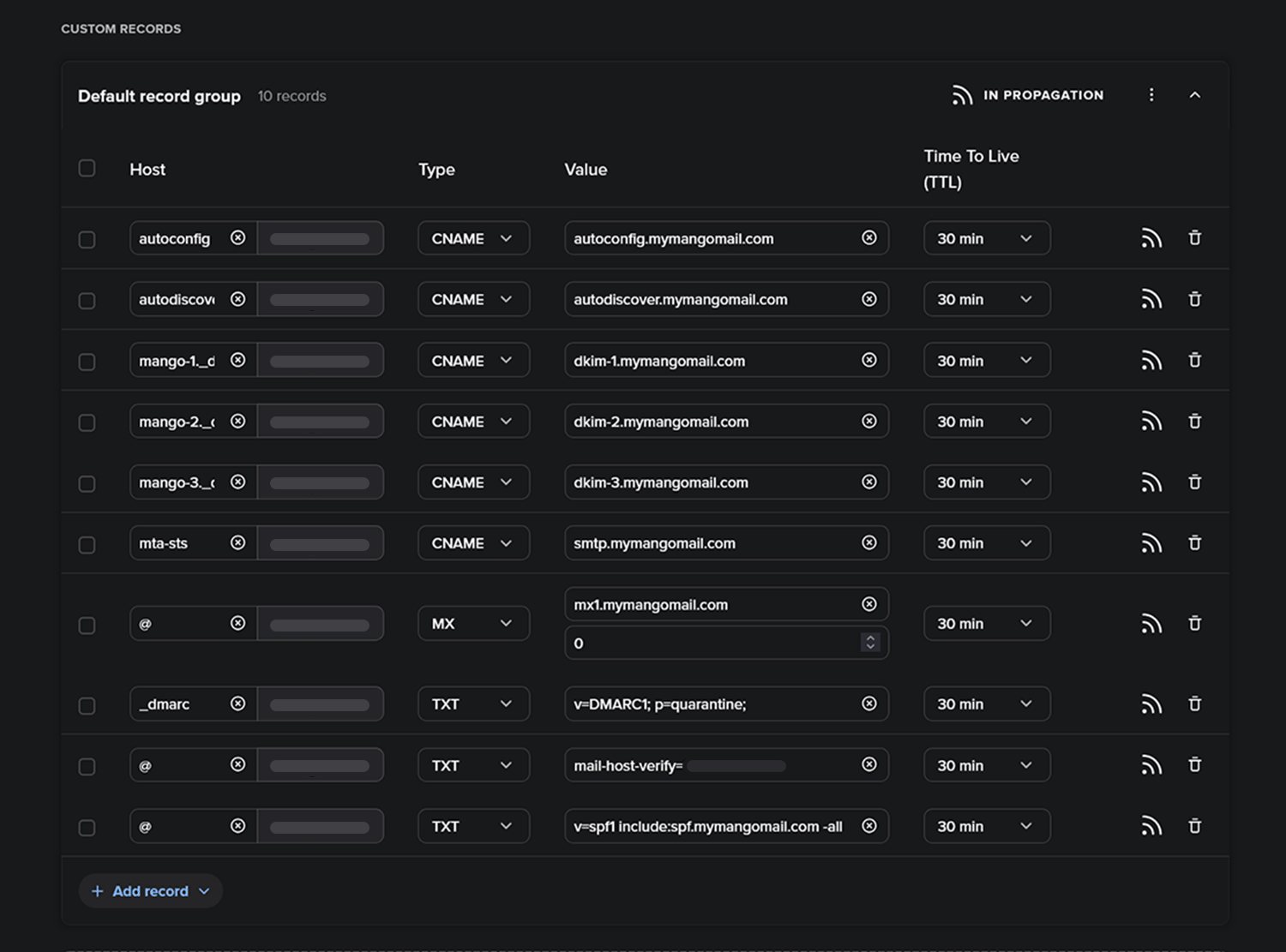
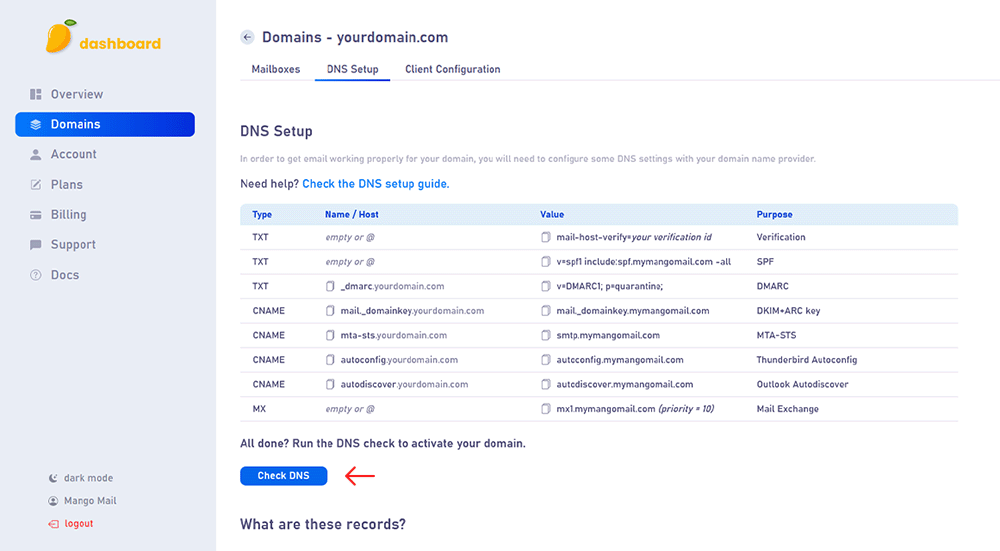
Step 6. Create the records shown on the DNS Setup page of your Mango Mail dashboard.
Step 7. Finally, return to the Mango Dashboard and click "Check DNS".
Next Steps
Now that you've finished configuring your domain's DNS, you can start creating mailboxes from the Mango dashboard.